
Intent Before Applications
Start every action from one prompt—spoken or typed.


Tell your computer what you want—by voice or text,
in Arabic or English—and HUMAIN OS works out the steps and carries
them out.
Start every action from one prompt—spoken or typed.

Run everyday AI tasks locally and keep working offline.


Bring forward only the tools and content needed for the task.

Preview, label, track, and undo AI actions.

Handle meetings, tasks, files, and employee services by request.


Move from priorities and research to drafting and creation in one conversation.


Core system settings respond to plain language, online or off.
Meetings Every action starts from a single prompt. A dedicated “H” key turns the interaction into a conversation: press and hold for a quick command, or double-tap to talk with the assistant.
Core system settings respond to plain language, online or off.
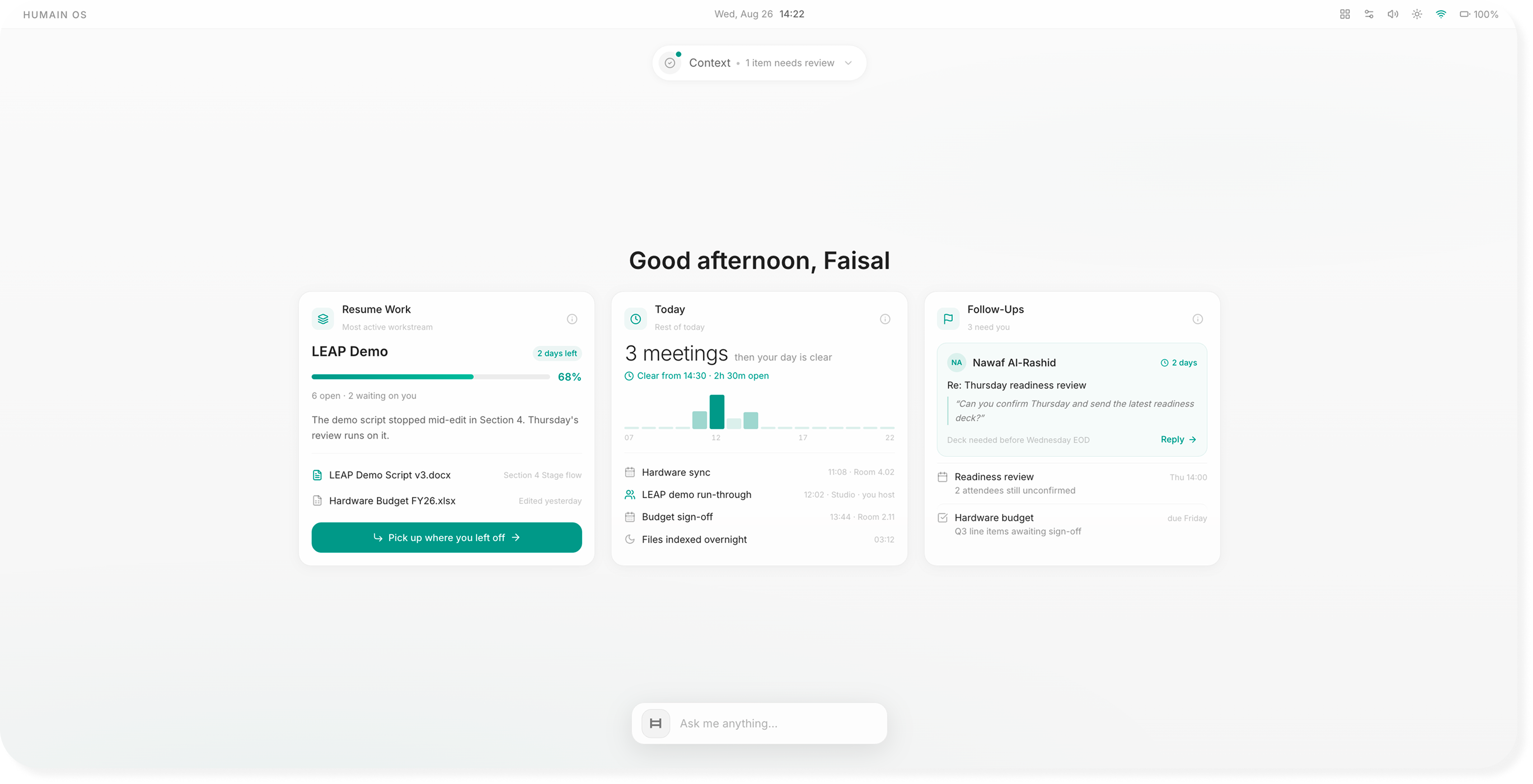
Explain a topic, answer a question, or summarize a long document without sending the content off the machine. The capability remains available on a plane, in a secure facility, or anywhere without a connection.
Open applications and take the first pass at a task, from reading a PDF and drafting an email to building a document from notes. Multi-step work can move across approved applications with safeguards built in.
Scan the web and multiple sources, then return a synthesized answer for news scans, market checks, or meeting preparation.
Use secure, sovereign cloud models for heavier generation, then bring the result back into the workspace. The system shows when cloud processing is used.
Create and edit documents, spreadsheets, and presentations, join meetings, and search securely across internal systems and the web—with AI built into each experience.


 Scheduling, agendas, and talking points drawn from recent work; plus a meeting companion that can listen or advise.

 Capturing, tracking, and helping complete tasks across applications.
 Organizing, summarizing, and finding files by meaning, including extracting attachments from email.

 Leave, business travel, expenses, payroll, recruitment, and employee support—all by request.

Most everyday AI runs directly on the device using a dedicated AI chip. Understanding requests, summarizing documents, and searching files can happen locally, so data stays on the machine and the assistant continues working without an internet connection.
Only the heaviest reasoning is sent to a secure, sovereign cloud, and the system shows when that happens. Sovereign Mode allows an organization to switch cloud processing off entirely when policy requires everything to remain on the device.

The assistant previews changes before making them

Actions can be reversed, and nothing is edited silently.

AI-generated content is clearly identified.

Users can see what was requested and what the system did.

Every action respects user permissions and organizational policies.

A fingerprint can confirm sign-in and sensitive AI actions.
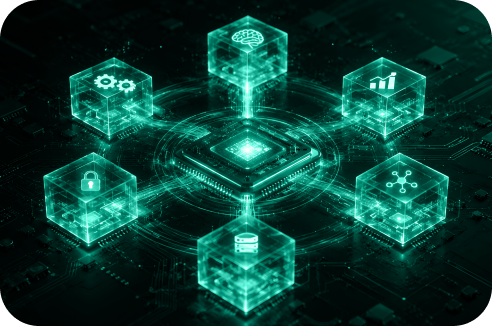
HUMAIN OS runs on a hardened version of Linux with compact on-device models for speech understanding, request routing, system control, offline reasoning, and summaries. A private, searchable record of work grounds assistance in the user's actual context and remains on the device under organizational governance.
The operating system is designed alongside HUMAIN Horizon Ultra, bringing the chip, operating system, built-in applications, and cloud together as one stack.

Frequently
Asked
Questions
HUMAIN OS is an AI-native operating system that lets users operate the computer through voice or text in Arabic or English.
Yes. Everyday tasks such as understanding requests, summarizing documents, and searching files can run locally on the device without an internet connection.
The system uses a secure, sovereign cloud for heavier reasoning and shows the user when cloud processing is taking place.
Yes. Sovereign Mode allows organizations to keep processing entirely on the device when policy requires it.
It previews changes, labels AI-generated content, keeps a complete action history, supports undo, and follows user permissions and organizational policies.
Built-in agents support meetings, tasks, files, leave, business travel, expenses, payroll, recruitment, and employee assistance.